How to Use Wingman
Everything you need to know to get the most out of Wingman. How your chats work, how to track the people you're talking to, and how to use every feature to its full potential.


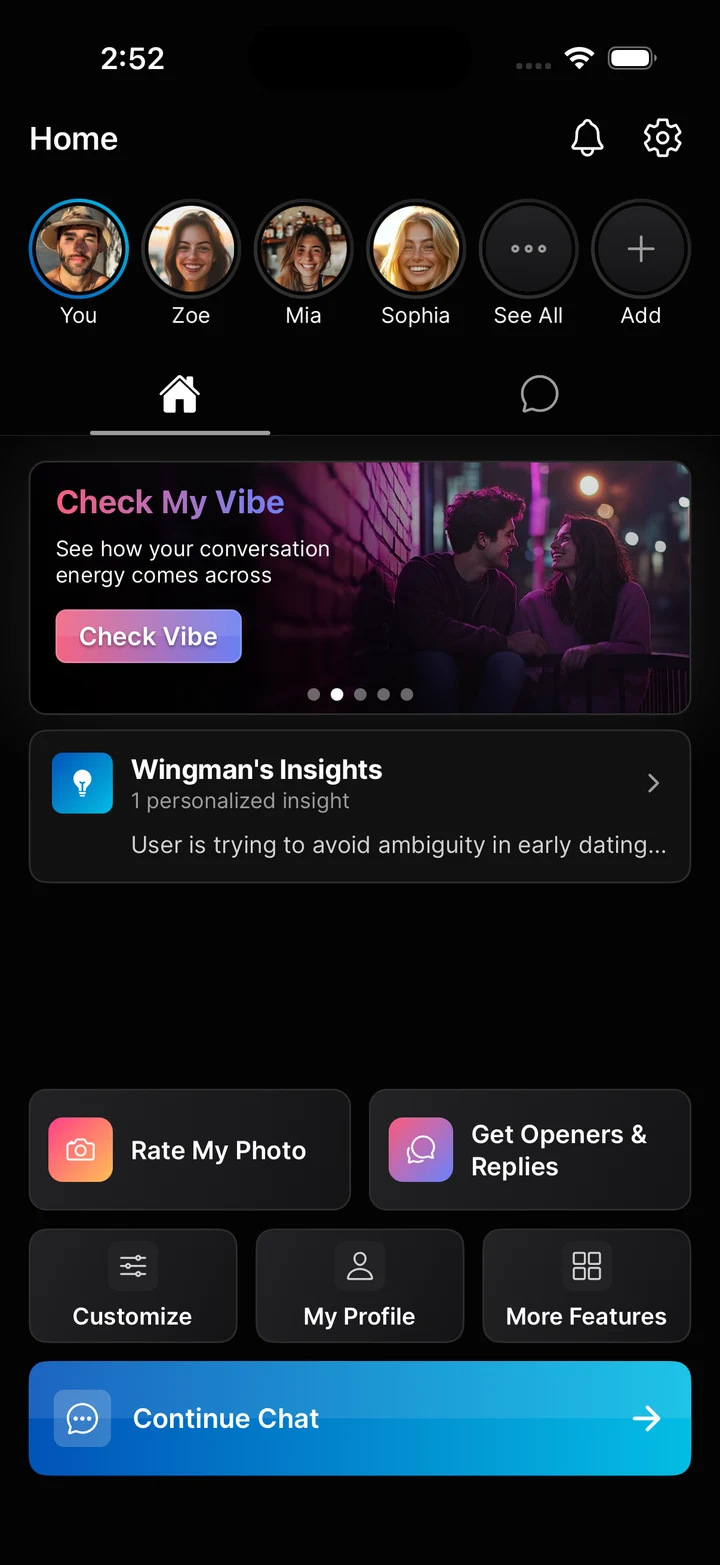
How Wingman Works: Your Chat and Your Connections
This is the most important thing to understand about Wingman, and what makes it different from every other dating AI you've tried.
Wingman doesn't use multiple chat threads like other messaging apps. You have one chat, your personal, ongoing conversation with Wingman. It lives on the You tab. This is where you ask general dating questions, get advice, talk through situations, and use any feature. Think of it as your direct line to a dating coach who already knows your situation.
But here's where it gets powerful. When you add someone to your Connections (someone you're talking to, dating, or interested in), they get their own dedicated chat. One thread, just for them. When you're in Sarah's chat and you ask "what should I text her?", Wingman already knows you're talking about Sarah. It knows her attachment style, what stage you're at, what's happened before. You don't have to re-explain the backstory every time.
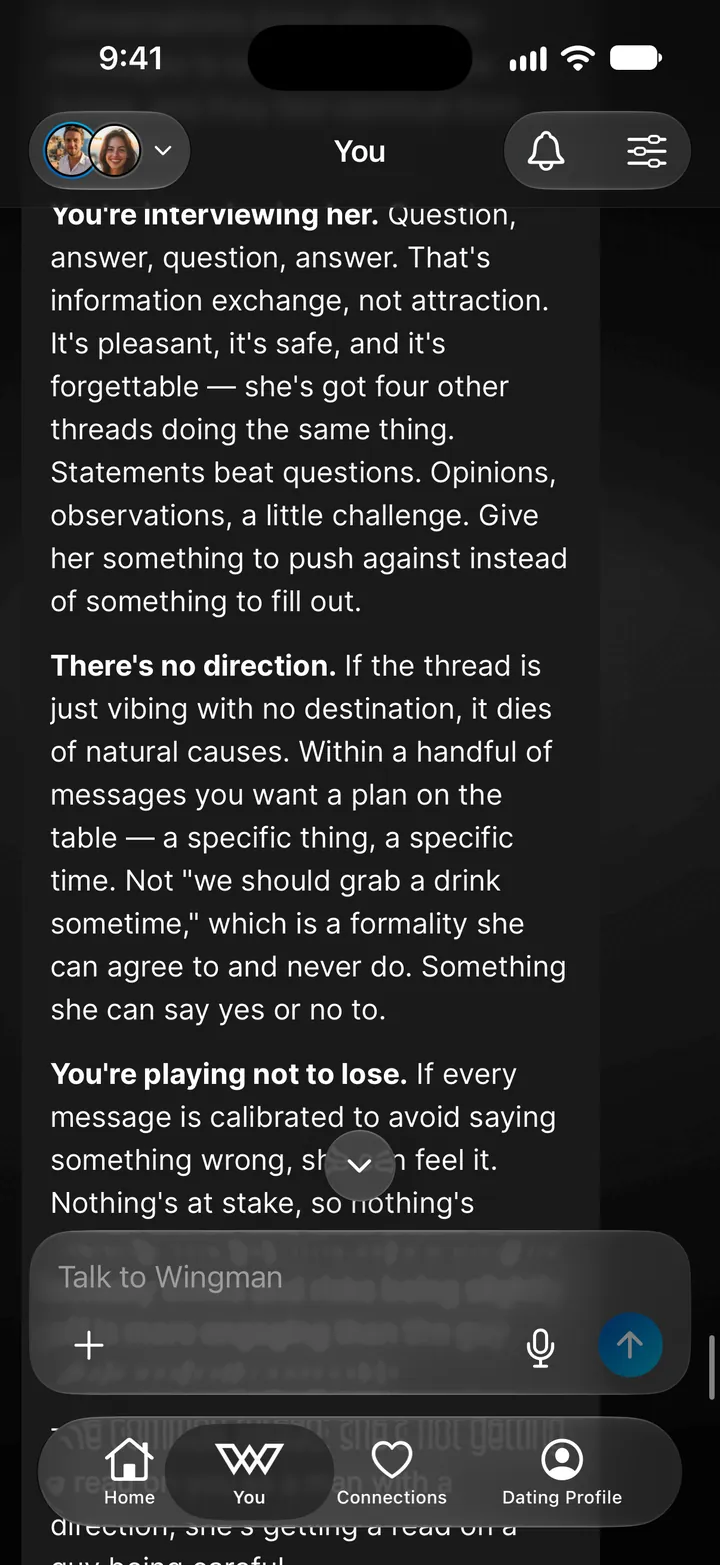
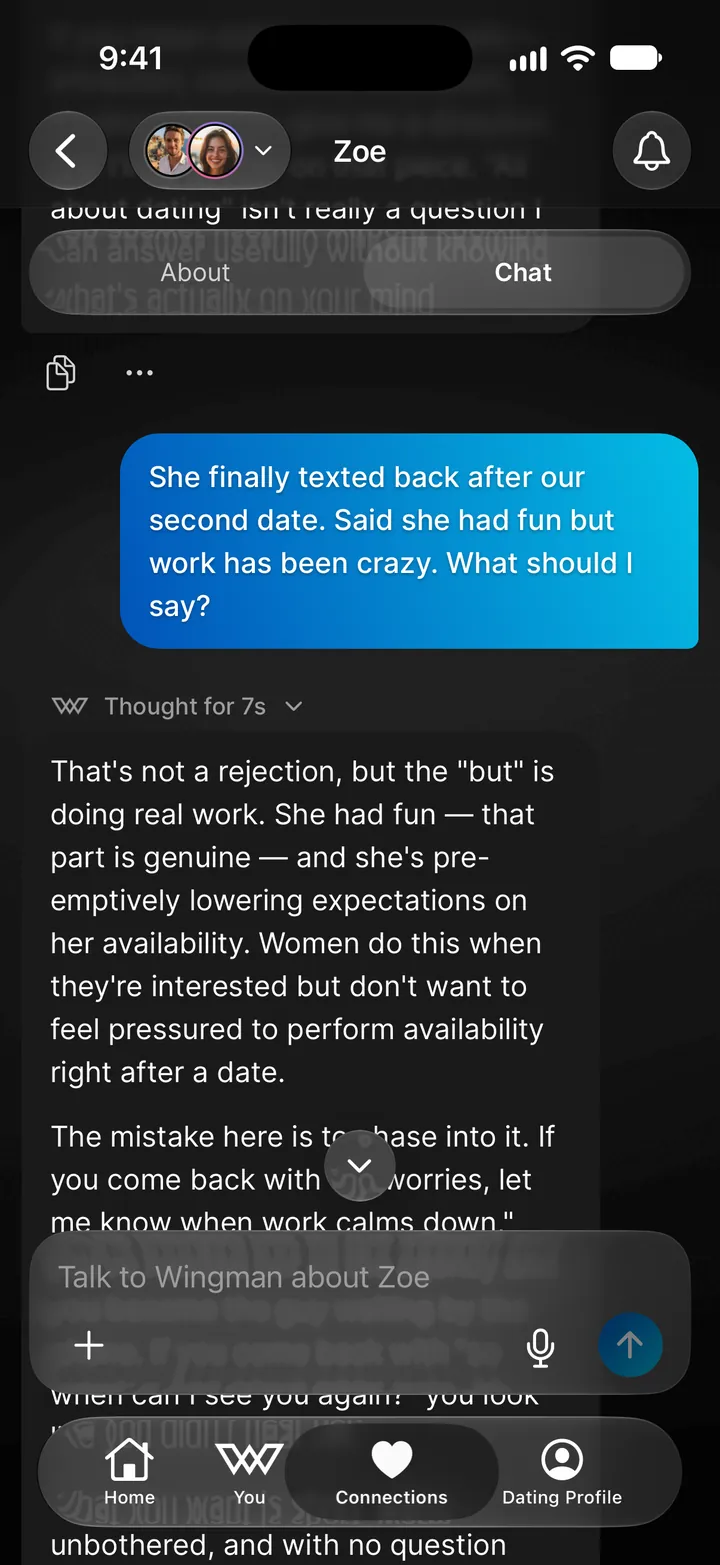
The key idea: One chat for you. One chat for each person you're talking to. Every feature, every conversation, every piece of advice, all in context, all in one place.
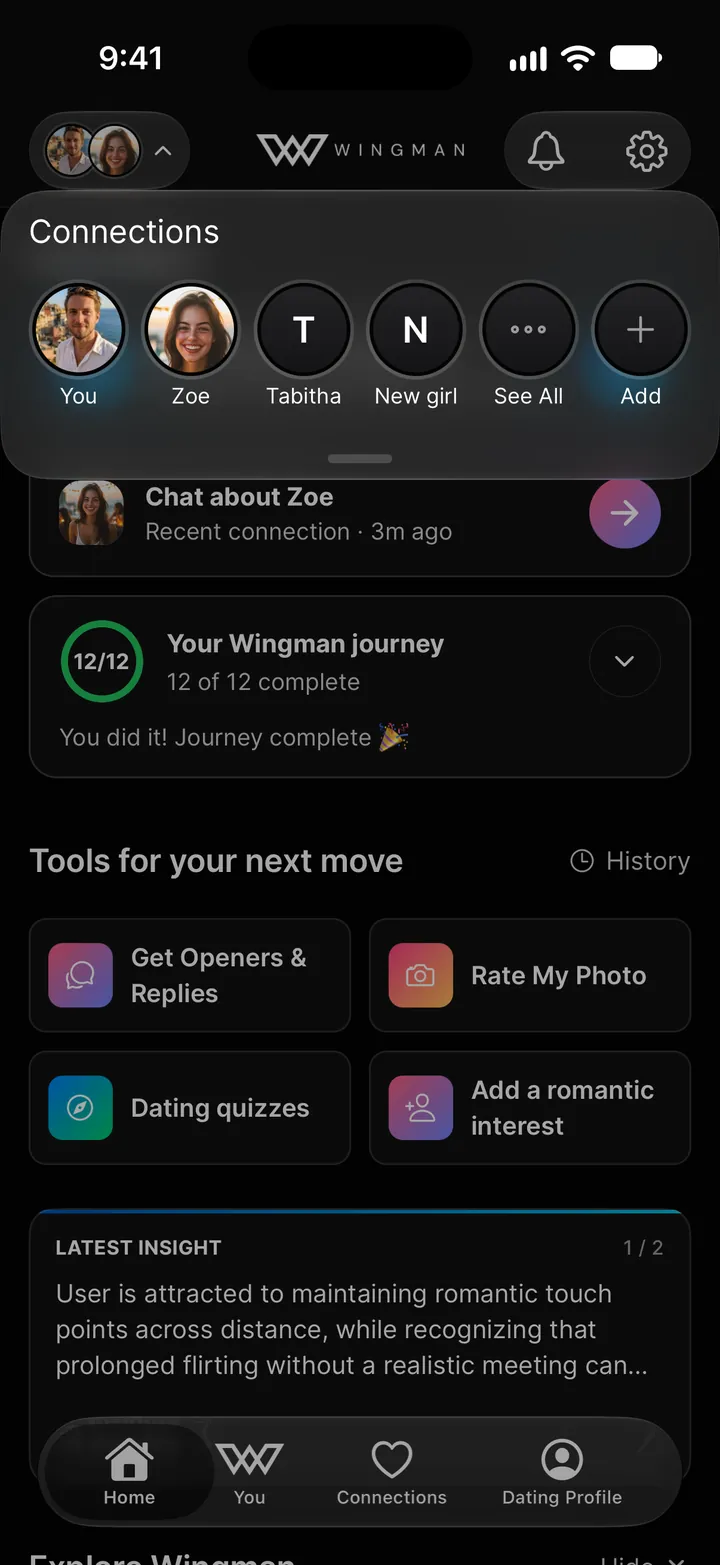
Switching between chats is instant. Tap the avatar button at the top left of any screen, or pull down from the top, to open your connections: You, then everyone you're talking to, plus See All and Add. Tap anyone to jump to their page. Tap You to go back to your own chat.
Getting Around
Wingman has four tabs along the bottom: Home, You, Connections, and Dating Profile.
Home
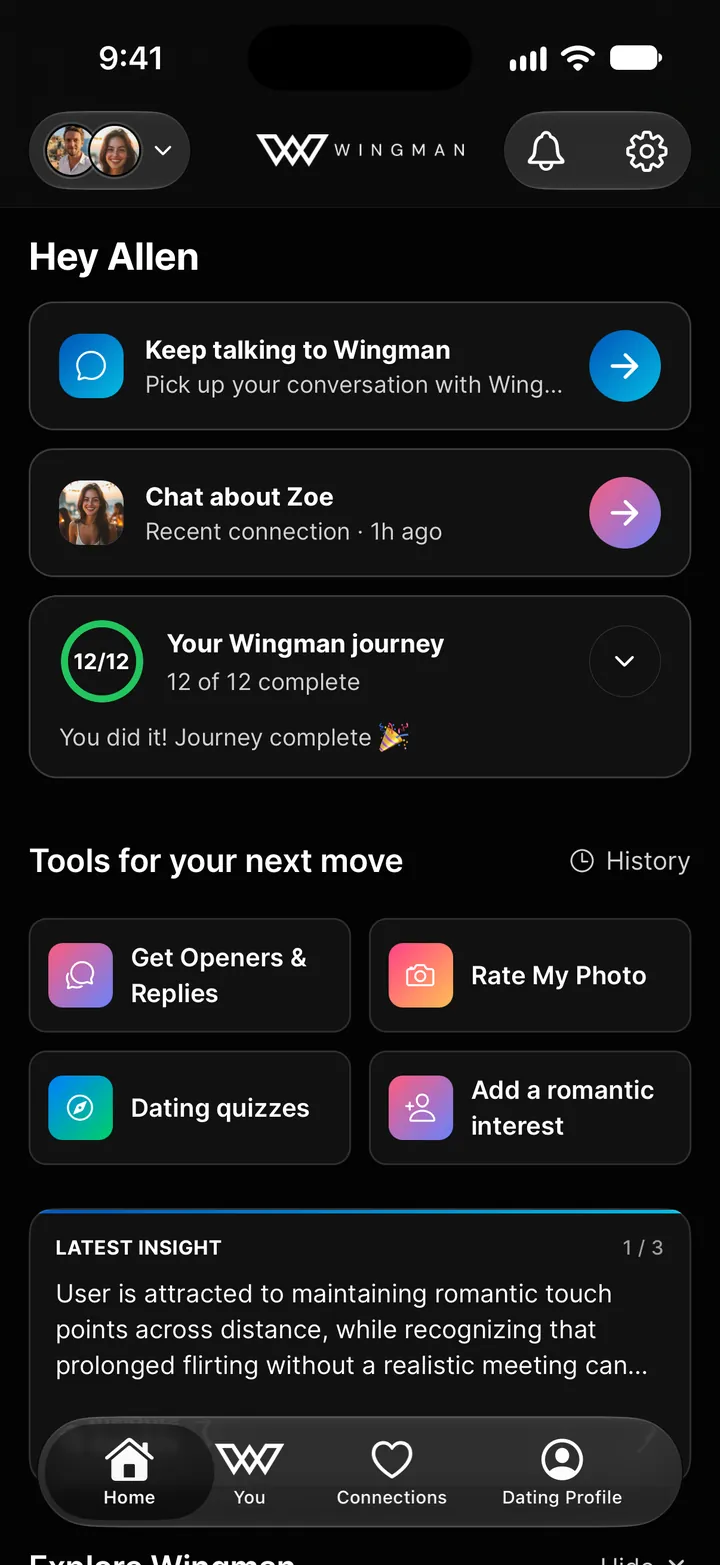
Home is where you pick up where you left off:
- Keep talking to Wingman: jump back into your own chat
- Chat about [name]: the person you've talked about most recently
- Your Wingman journey: a short checklist of the first things to try
- Tools for your next move: Get Openers & Replies, Rate My Photo, Dating quizzes, and a shortcut to add someone. History next to it has every result you've had from a tool.
- Latest insight: what Wingman has noticed about your dating life. More on this in the Insights section below.
- Explore Wingman: other features to try, plus the latest from the Wingman blog
You, Connections, and Dating Profile
The You tab is your personal conversation with Wingman. This is where you ask questions, get advice, and use features. All results appear inline as cards you can tap to expand. More on this in the Using Chat section below.
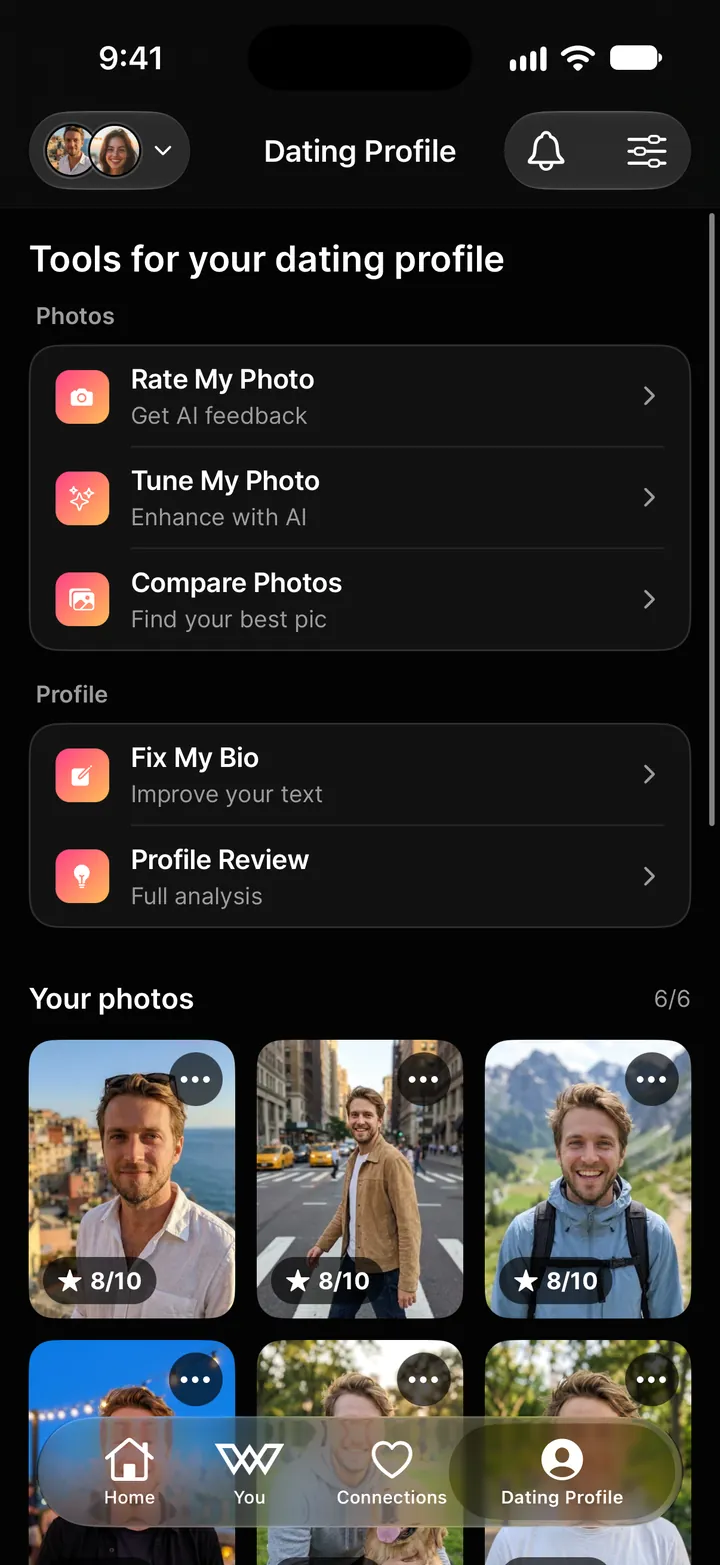
Connections lists everyone you're talking to. Dating Profile holds your photos, your bio, and every tool for improving them.
Connections & Their Page
A connection is anyone you're talking to, dating, or interested in. Adding them to Wingman unlocks the most powerful part of the app: contextual coaching that actually tracks your situation over time instead of giving you generic one-off advice.
Adding Someone
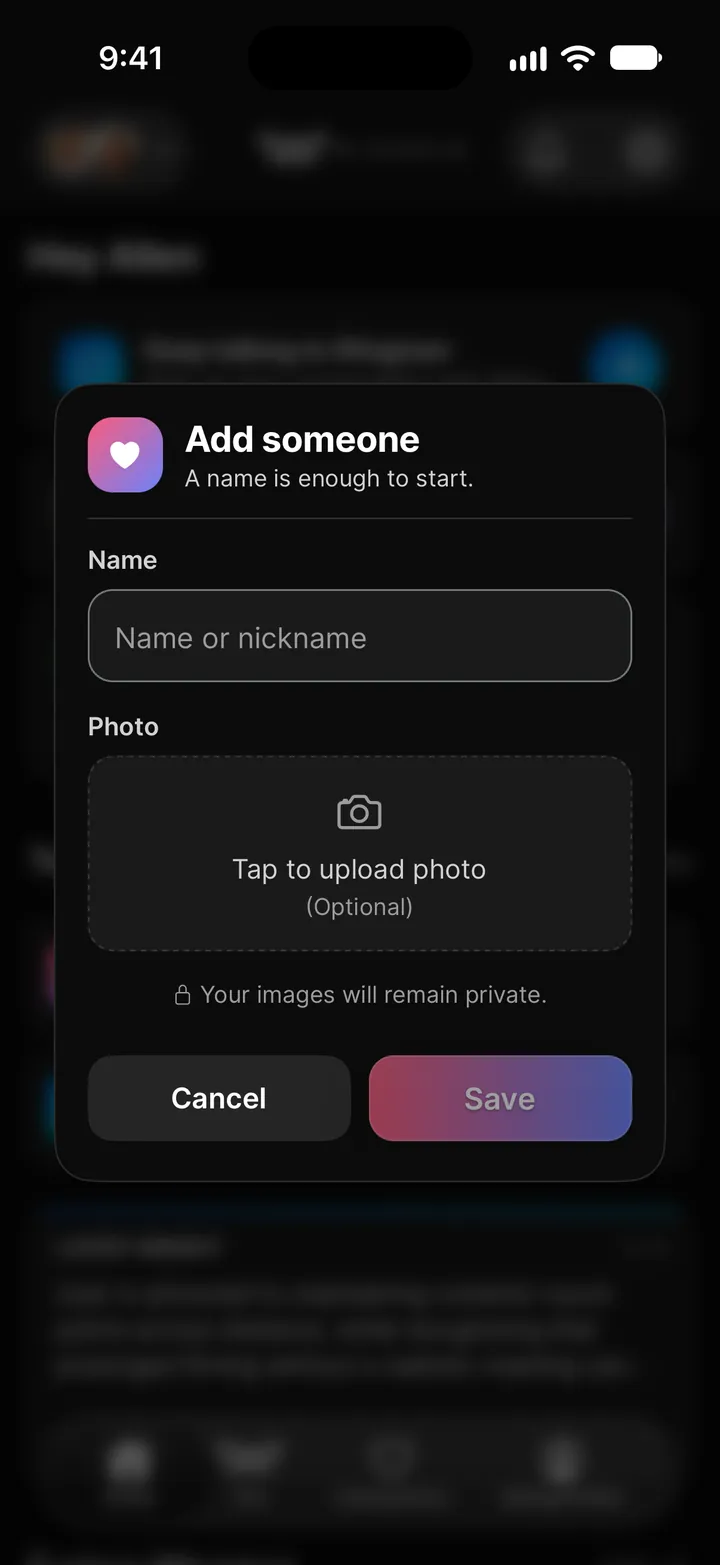
Tap Add someone at the top of the Connections tab, Add in the connections switcher, or the shortcut on Home. A name is enough to start (a nickname is fine), plus a photo if you have one. Add their age, location, and your current status with them (Crush, Talking, Situationship, Friends With Benefits, Casual Dating, Relationship, etc) on their About tab as things move along.
About
Each connection has an About tab, a living profile that grows as you use Wingman. Tap anyone in Connections and you'll land on it. Here's what it tracks:
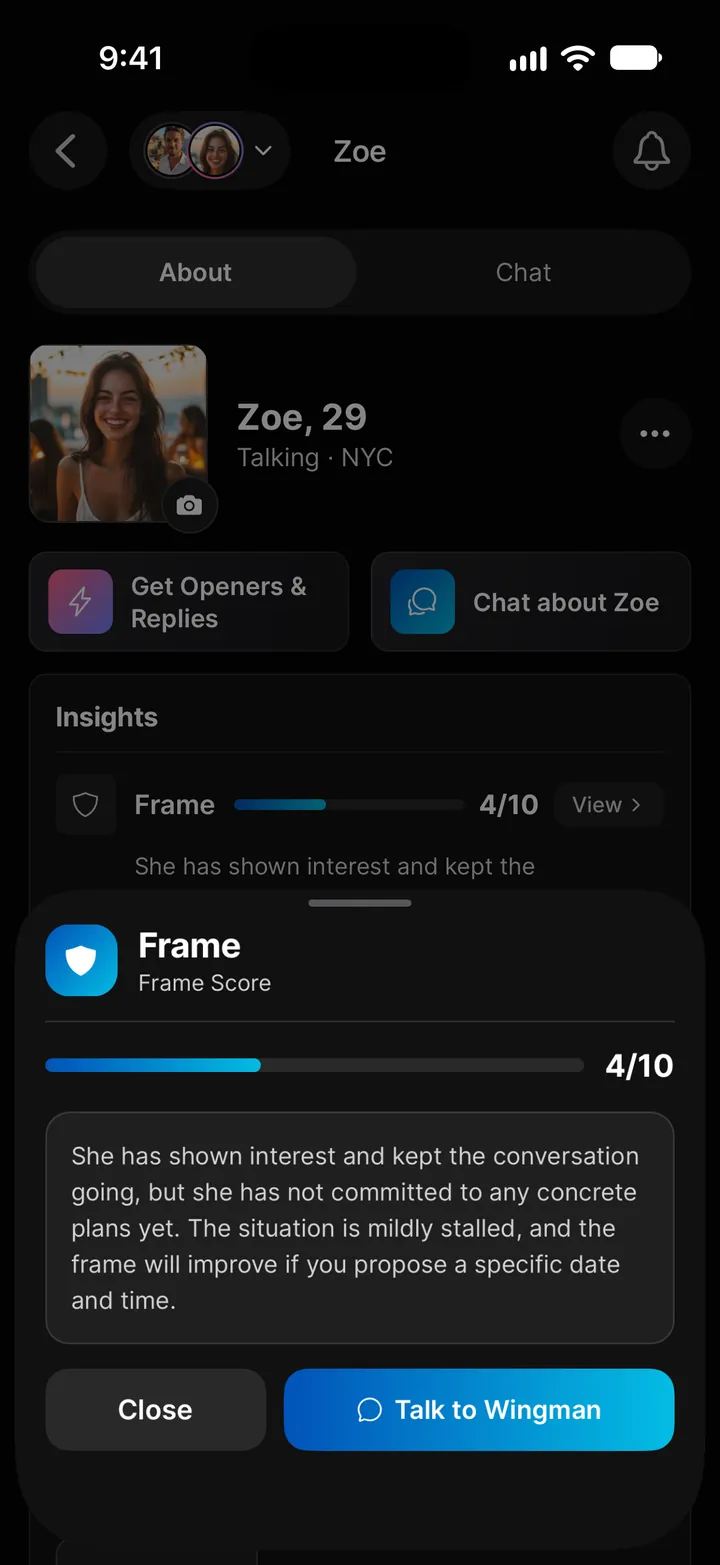
- Insights: their Frame Score, what Wingman has learned about them, and any red flags. More on these below.
- Relationship Status: where things stand (Matched, Texting, First Dates, and on from there) and your current label (Crush through Relationship through Ex). Update these as things progress and Wingman adjusts its advice to the stage you're actually at.
- Their Style: her interests (tags like "hiking," "coffee," "dogs"), her attachment style (Secure, Anxious, Avoidant, Disorganized), and any other notes. The more you fill in, the more targeted the coaching gets.
- Basic Info & Logistics: birthday, age, where you met (Dating App, School, Bar, Work, Gym, etc.), location, living situation, and the best days and times to meet.
- Timeline & Contact Info: your last interaction and last date, plus phone, email, Instagram, Twitter, Snapchat, Discord. Everything in one place.
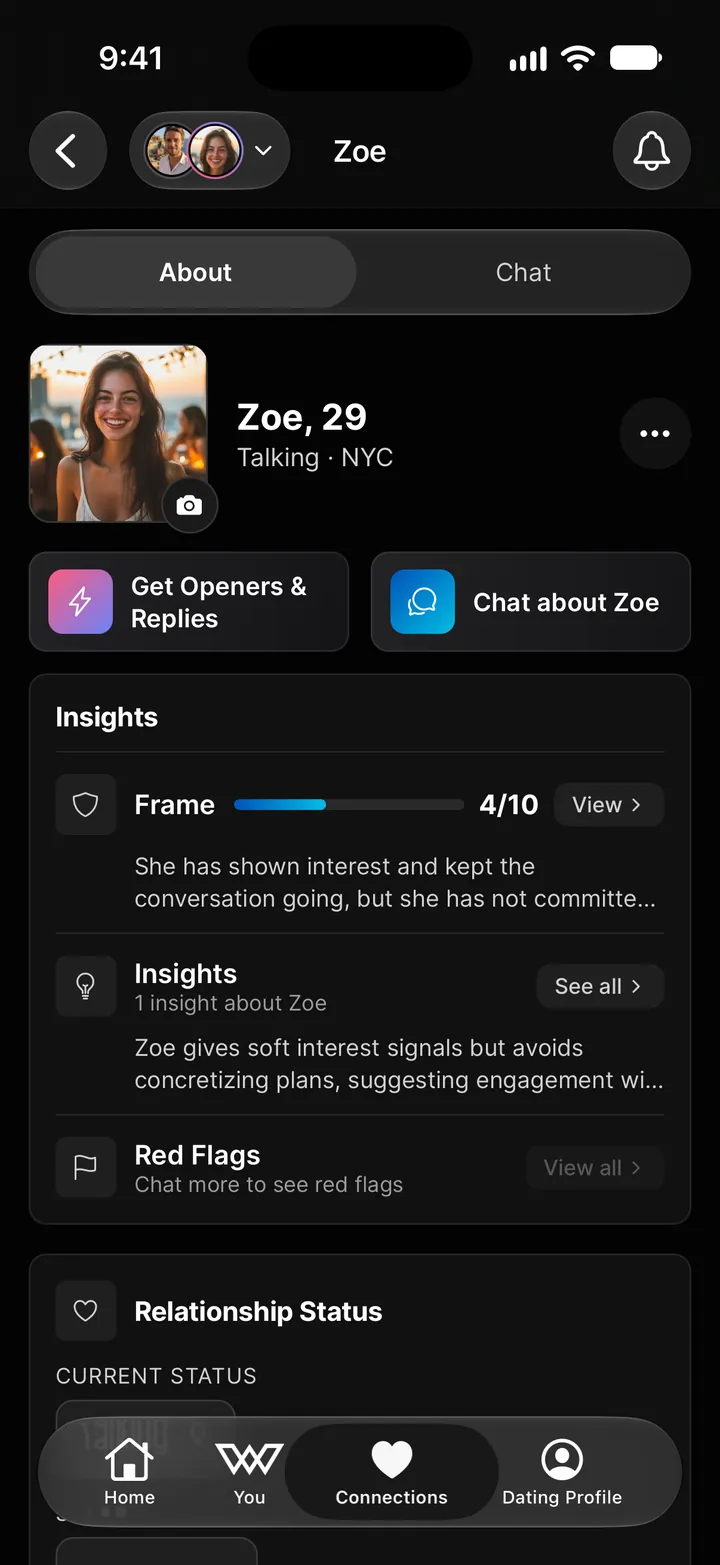
At the top of every About tab you'll also find quick action buttons to jump straight into Get Openers & Replies or Chat about [Name].
Their Chat
Next to About is the Chat tab. This is that person's dedicated conversation thread with Wingman. Everything you ask here, every conversation screenshot you upload, every feature you use is automatically tied to this person. Wingman always has the full context.
Tap the + button to upload a photo, take one, or run Get Openers & Replies for them. Results are associated with this person.
Using Chat & Uploading Images
Whether you're in your own chat on the You tab or a connection's chat, the experience works the same way. Type a message and Wingman responds. But there's more to it than a basic chatbot.
Uploading Images
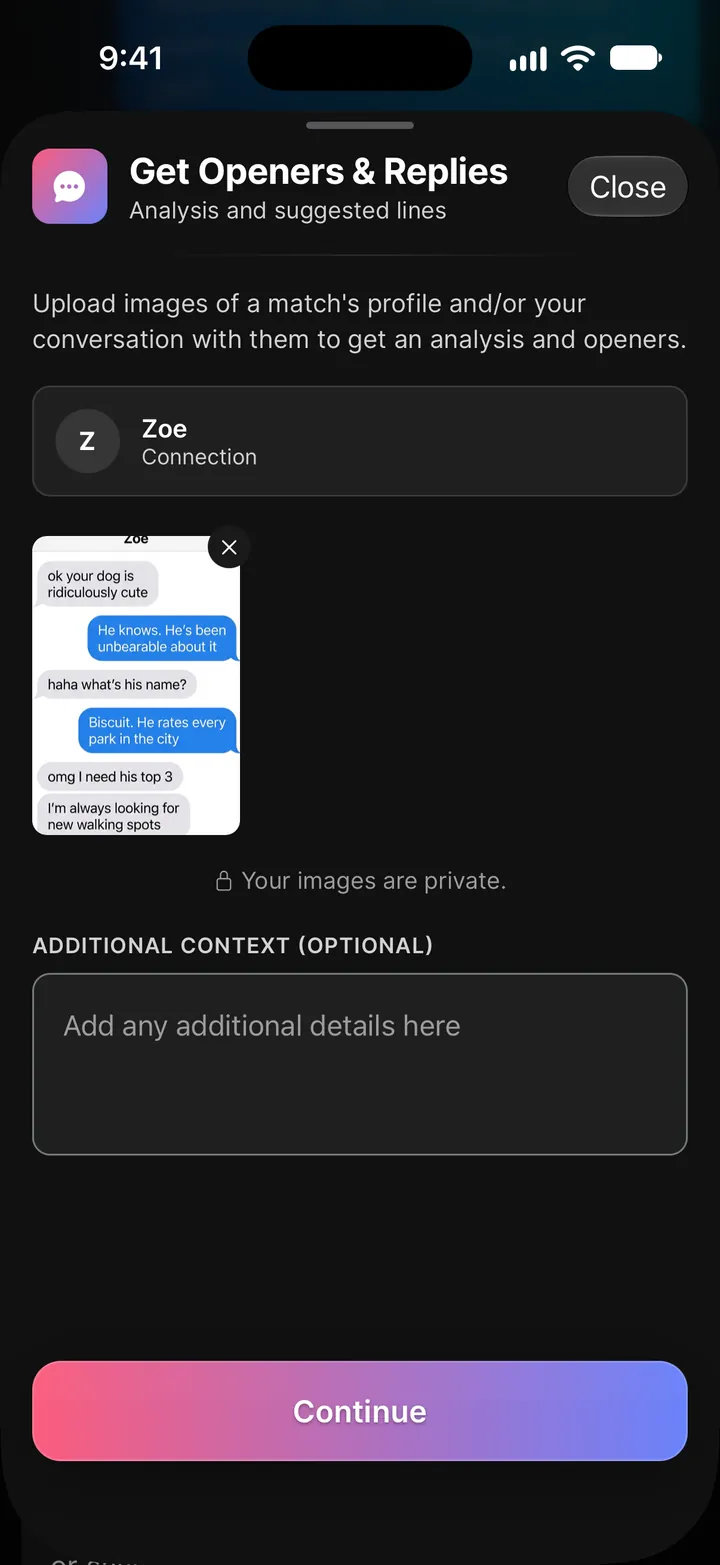
You can share images directly in any chat. Screenshot a conversation from Tinder, Bumble, Hinge, or whatever app you're using, and add it with Upload Photo from the + button. Wingman reads the screenshot and gives you real-time, context-aware advice based on what it sees. For a full read and suggested lines, attach it to Get Openers & Replies instead.
This is one of the fastest ways to get help. Instead of typing out the entire conversation, just screenshot it and ask "what should I say?" or "is she interested?"
Inline Feature Results
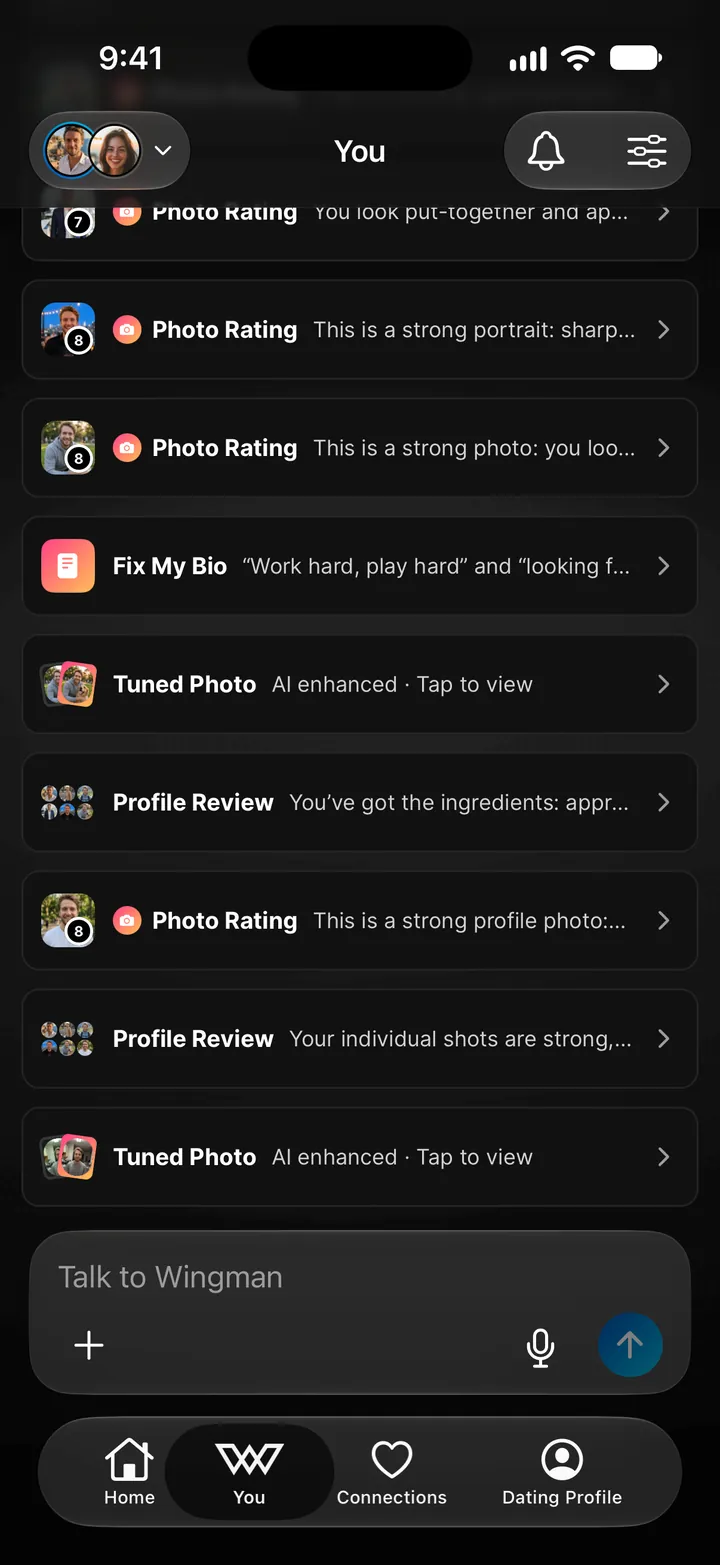
When you use a feature from chat (via the + button), the results don't open a separate page. They stream in as an inline card directly in your conversation. You can tap the card to expand the full response, close it, and keep chatting.
Your chat history becomes the running record of every photo rating, every conversation analysis, every piece of advice you've ever gotten. Recent results are grouped under Recent activity, and every result is also in History on Home.
Insights & Frame Score
Wingman doesn't just give you one-off advice. It learns from your conversations over time and surfaces things you might miss on your own.
Personal Insights
On Home, the Latest insight card shows observations about your overall dating patterns: what's working, what's costing you, and where you can level up. They're generated automatically as Wingman picks up on trends across your conversations. Swipe through them or tap All insights to see every one.
Per-Person Insights
Each connection also has their own insights, on their About tab. These are specific to that person and update automatically as you chat with Wingman about them. Things like patterns in her communication, shifts in interest level, or dynamics you might not have noticed.

Frame Score
Each connection has a Frame Score, a rating that reflects where you stand in the dynamic. It tracks who's chasing whom, whether you're holding your frame, and how the balance is shifting. Tap View next to the score on their About tab for a full breakdown and actionable advice on how to improve your position, then Talk to Wingman to dig into it.
Features Overview
Every feature in Wingman can be reached in a few ways:
- From Home: Tools for your next move has Get Openers & Replies, Rate My Photo, and Dating quizzes.
- From the Dating Profile tab: every photo and profile tool, from Rate My Photo, Tune My Photo, and Compare Photos to Fix My Bio and Profile Review.
- From any chat: tap the + button next to the text input. In your own chat you'll see Get Openers & Replies, Check my vibe, Rate My Photo, Tune My Photo, Fix My Bio, Compare Photos, and Quizzes. In a connection's chat, + offers photo upload and Get Openers & Replies for that person.
It doesn't matter where you trigger a feature. If you're inside a connection's chat, the results are automatically tied to that person. If you're in your own chat, they're general.
Here's what each feature does and how to get the most out of it.
Rate My Photo
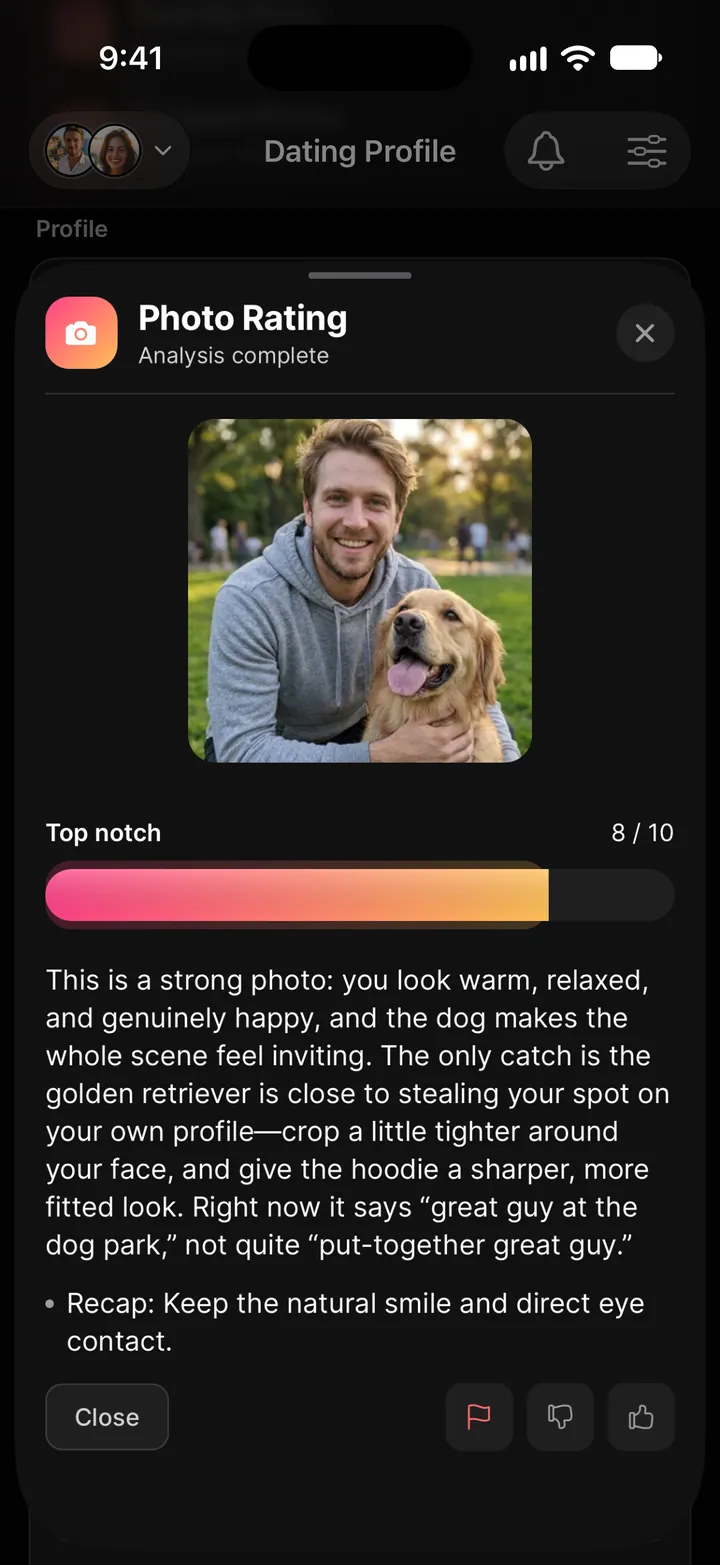
Upload any photo and get a detailed, honest rating. Not just a number, but a full breakdown of what's working (lighting, expression, setting, outfit) and what's costing you matches, with specific steps to improve.
How to use it
- Tap Rate My Photo on Home or the Dating Profile tab, or tap + in your chat and select it.
- Choose a photo from your gallery or take a new one.
- The analysis streams in real time as an inline card. Tap it for the full breakdown.
Photos you add to Your photos on the Dating Profile tab are rated automatically.
Tip: Test multiple photos before updating your profile. Rate them all, compare the feedback, and lead with the one that scores highest.
Tune My Photo
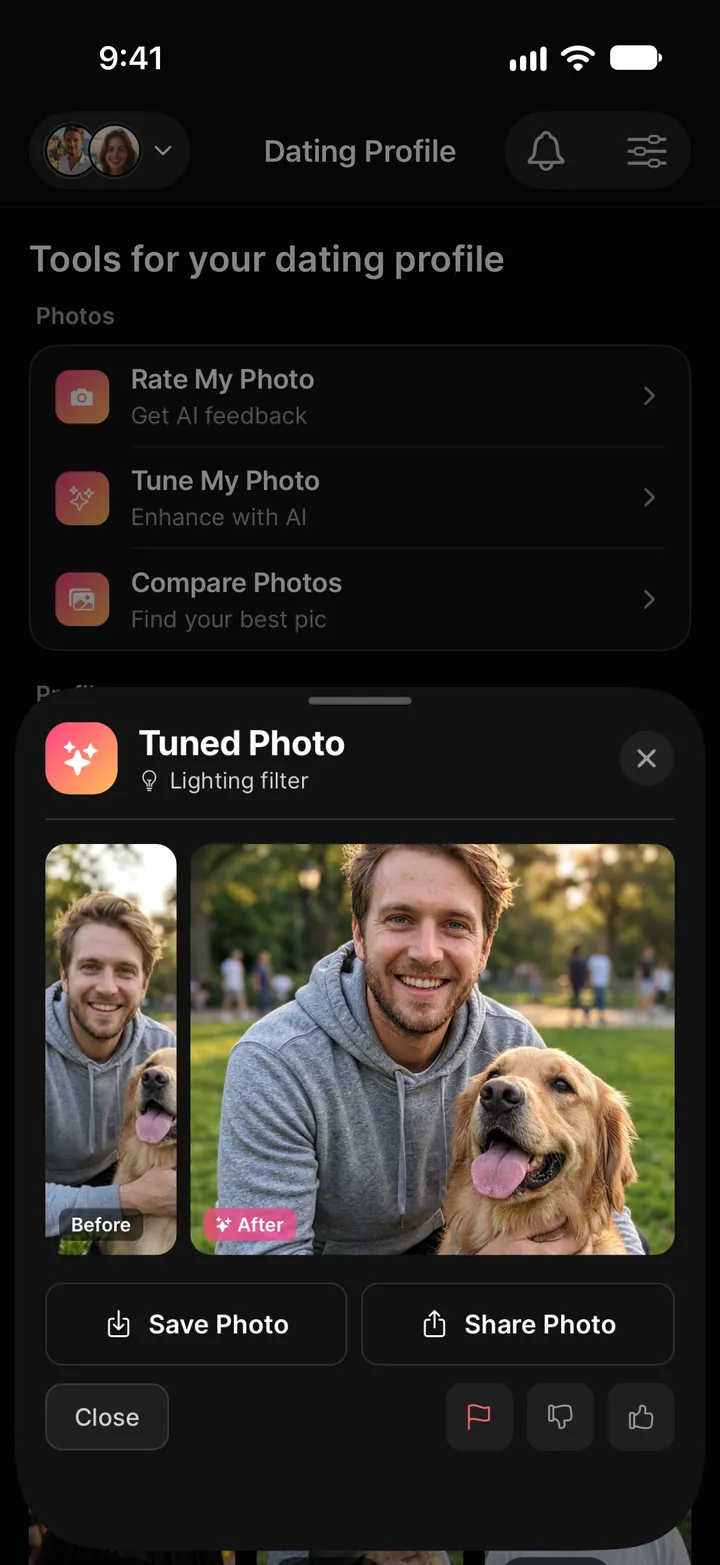
Tune My Photo polishes a photo you already have: better light, cleaner color, a sharper look, and still unmistakably you.
How to use it
- Tap Tune My Photo on the Dating Profile tab, or tap + in your chat.
- Upload a photo, take one, or pick one of your recent images.
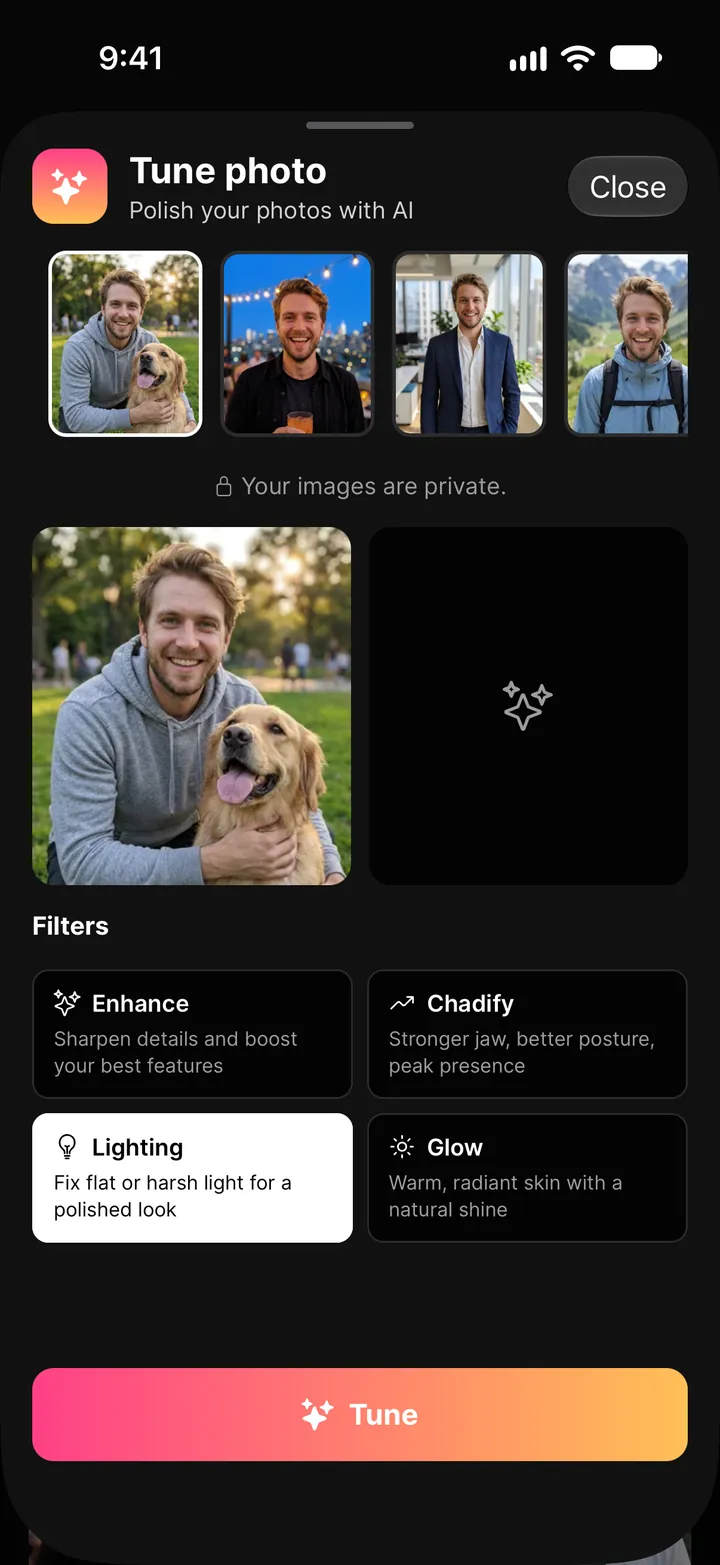
- Choose a filter: Enhance, Chadify, Lighting, or Glow. Then tap Tune.
- In about a minute you get the before and after side by side. Save Photo puts it in your camera roll and Share Photo sends it anywhere. Your tuned photos are also kept under View Images on the Dating Profile tab.
Compare Photos
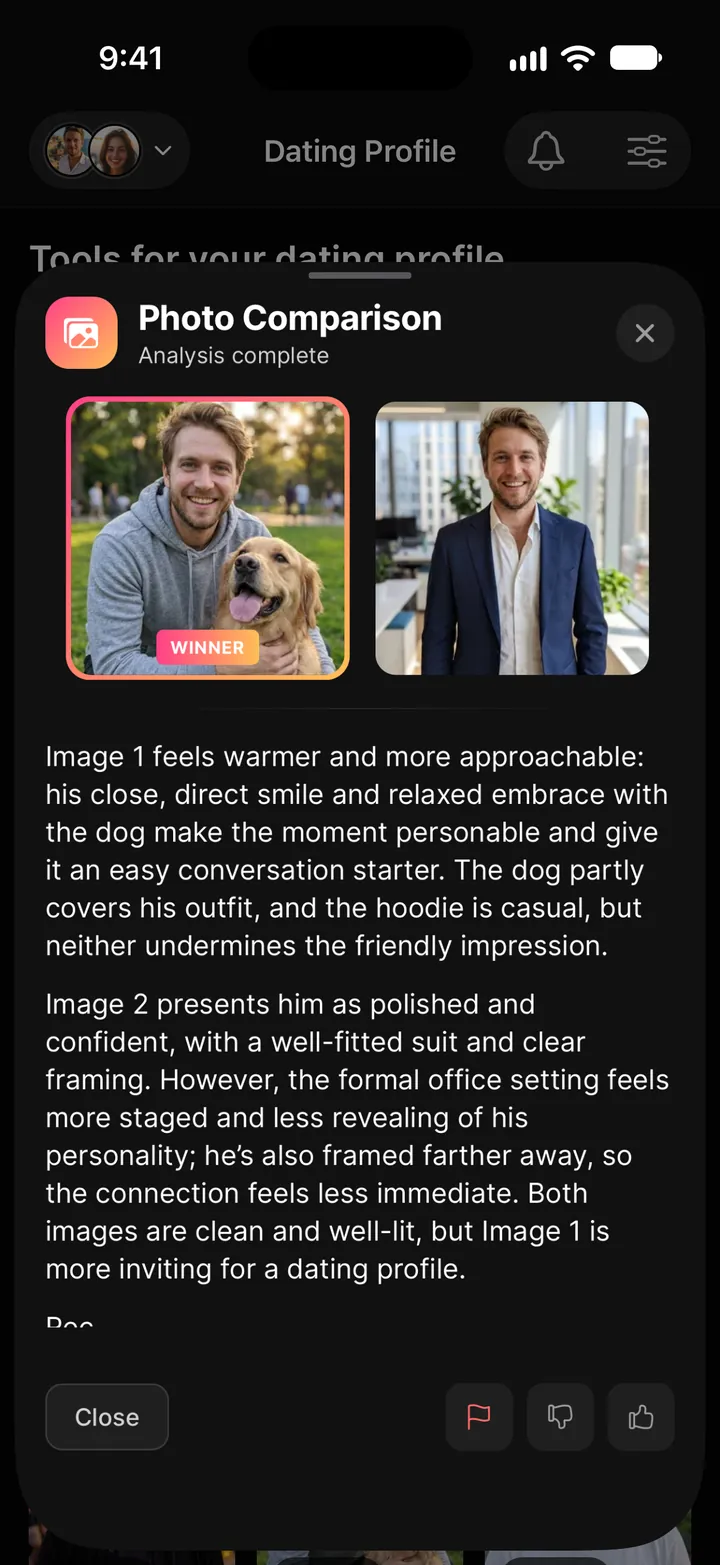
Can't decide between two photos? Compare Photos puts them side by side and tells you which one is stronger and why. It's the fastest way to figure out which photo should lead your profile.
How to use it
- Tap Compare Photos on the Dating Profile tab, or tap + in your chat.
- Select two photos to compare.
- Get a detailed comparison with a clear winner and the reasoning behind it.
Fix My Bio
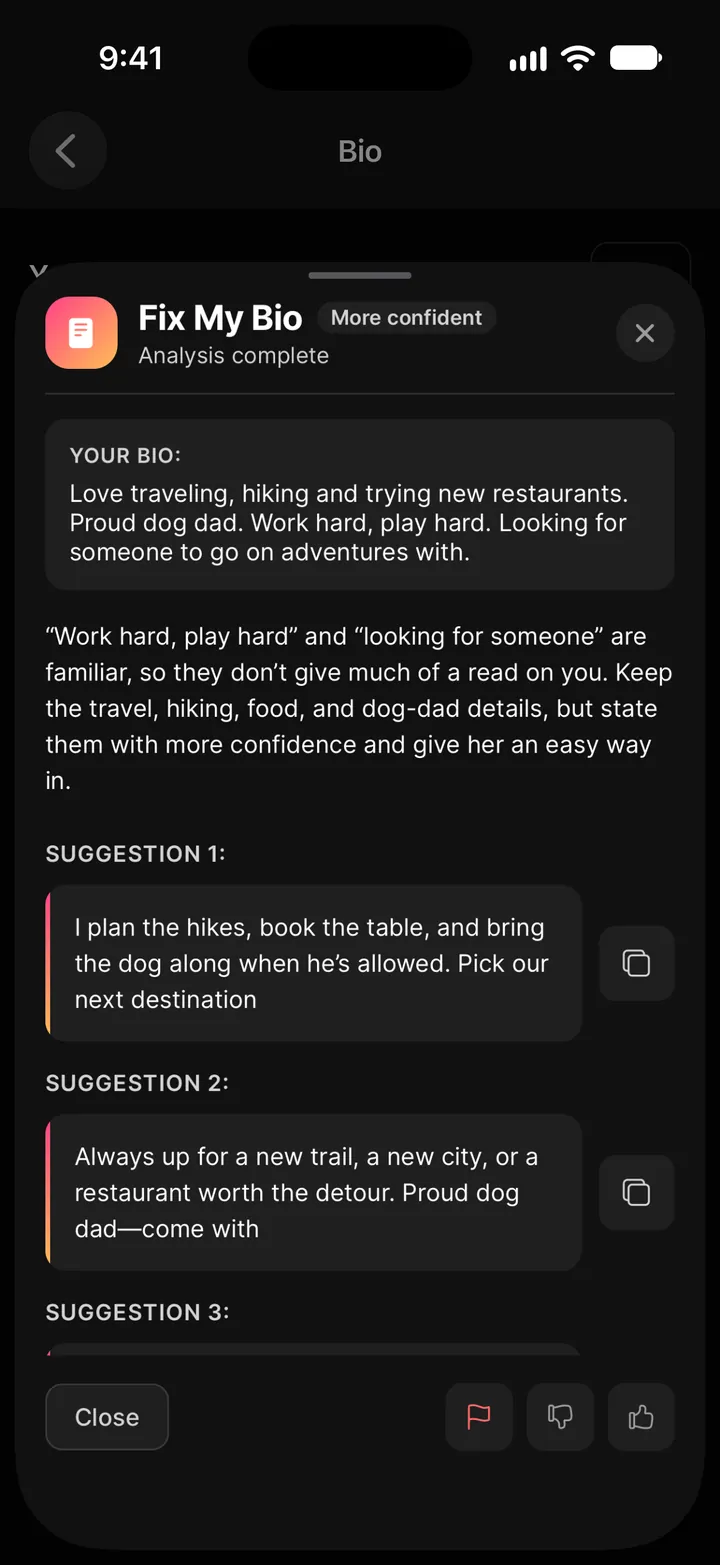
Get your current dating bio torn apart and rebuilt. Wingman identifies what's cliche, what's actually working, and gives you rewritten versions you can copy straight to your profile.
How to use it
- Tap Fix My Bio on the Dating Profile tab (or Work on bio under Your bio), or tap + in your chat.
- Add your current bio if it isn't there yet.
- Tap Improve and pick a style (Funnier, More confident, More natural, More playful, or Shorter), or choose Write a new one or Brainstorm to start fresh.
- Get a critique and rewritten bios ready to use.
Full Profile Review
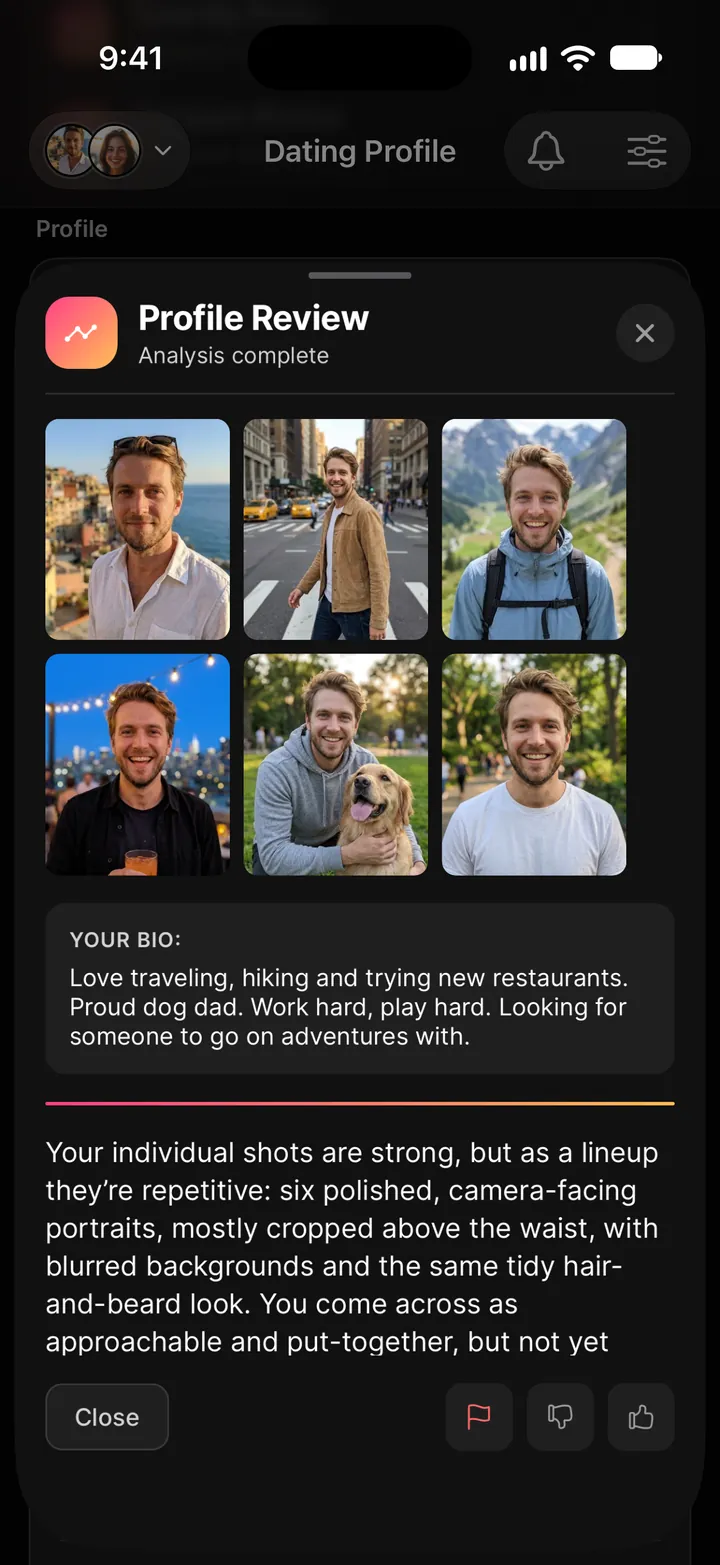
The most comprehensive profile tool. Instead of rating one photo or just your bio, a Full Profile Review analyzes your photos and bio together, the way she actually sees your profile. You'll get feedback on photo order, bio effectiveness, overall impression, and specific steps to improve.
How to use it
- Tap Profile Review on the Dating Profile tab.
- It uses the photos in Your photos and your bio. Tap Full Profile Review.
- Get a complete audit of your entire profile.
Get Openers & Replies
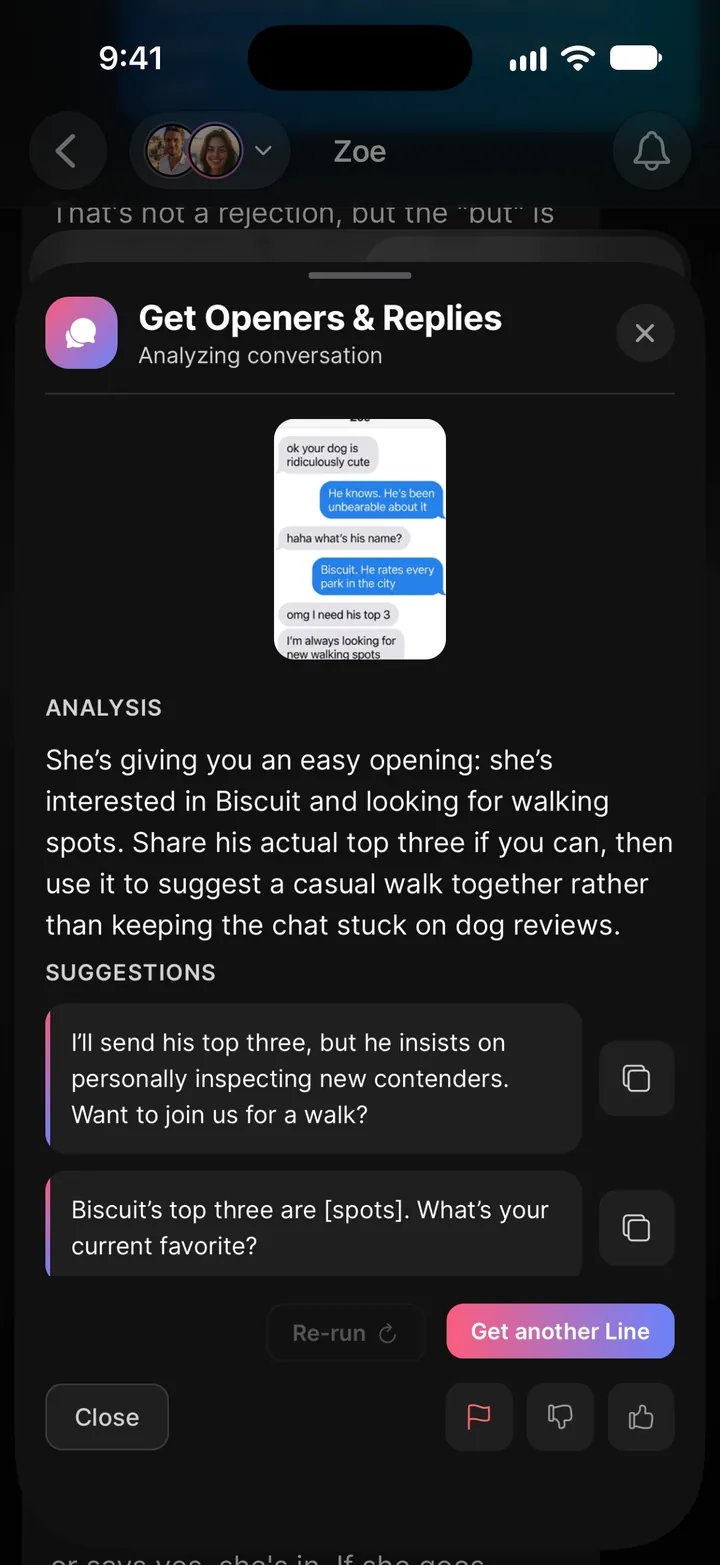
Upload screenshots of a conversation from any dating app (Tinder, Bumble, Hinge, or anything else) and Wingman reads the exchange, gauges her interest level, and tells you exactly what to say next. The suggestions match your voice, not a generic bot's.
How to use it
- Tap Get Openers & Replies on Home or on a connection's About tab, or tap + in any chat.
- Upload one or more screenshots of the conversation. Add optional context if there's something Wingman should know ("she hasn't replied in 2 days," "we matched this morning").
- If you're in a connection's chat, she's automatically selected. In your own chat, you can choose which connection to associate it with.
- Wingman transcribes the screenshots, analyzes the conversation, and gives you suggested openers or replies.
Vibe Check
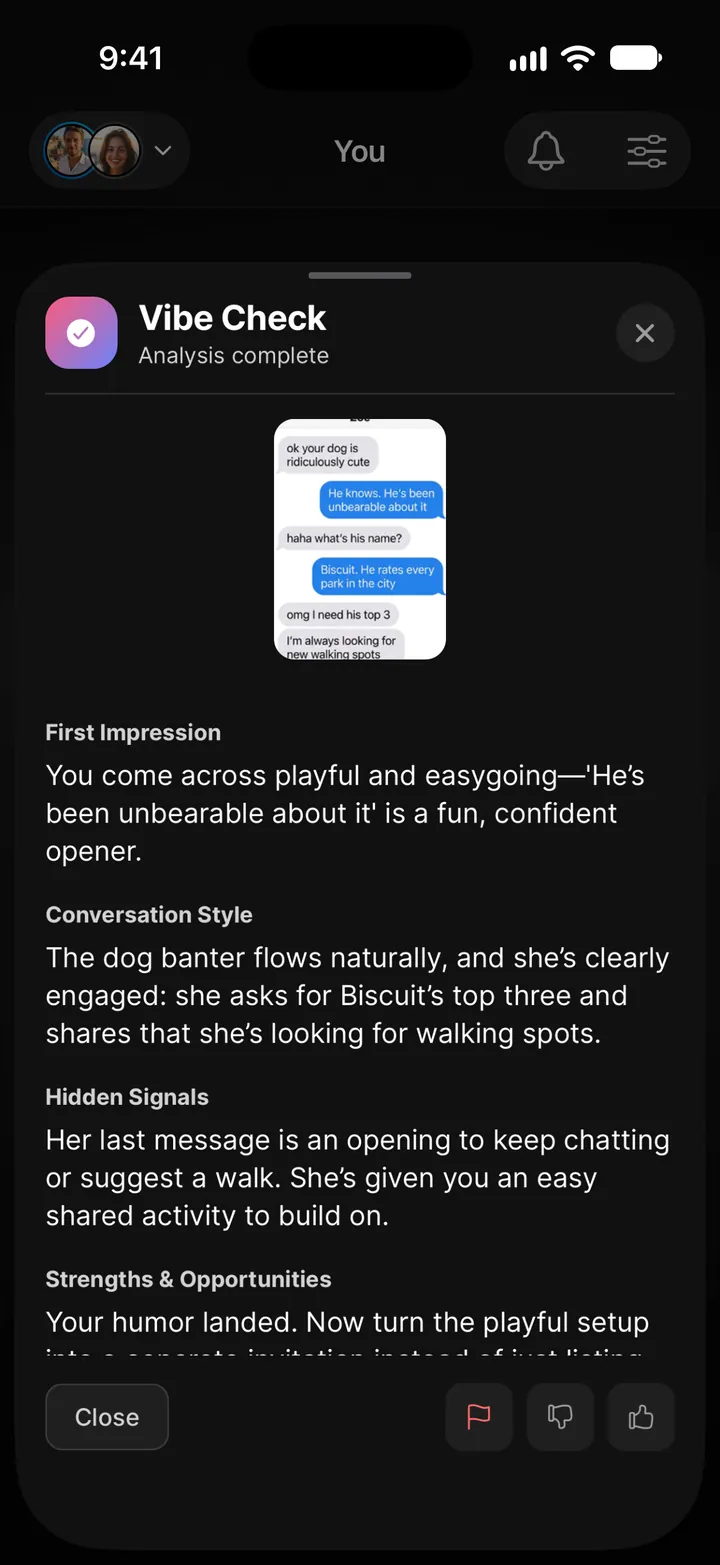
Before you hit send, run it through Vibe Check. Upload screenshots of the conversation for context, and Wingman analyzes how your messages read. Are you coming across as confident or needy? Interested or desperate? You'll get an honest read on your texting style with specific suggestions to tighten it up.
How to use it
- Tap + in your chat on the You tab and choose Check my vibe, or find Vibe Check under Explore Wingman on Home.
- Upload screenshots of the conversation (up to 3).
- Add optional context about the situation.
- Get an analysis of your vibe with actionable suggestions.
Quizzes
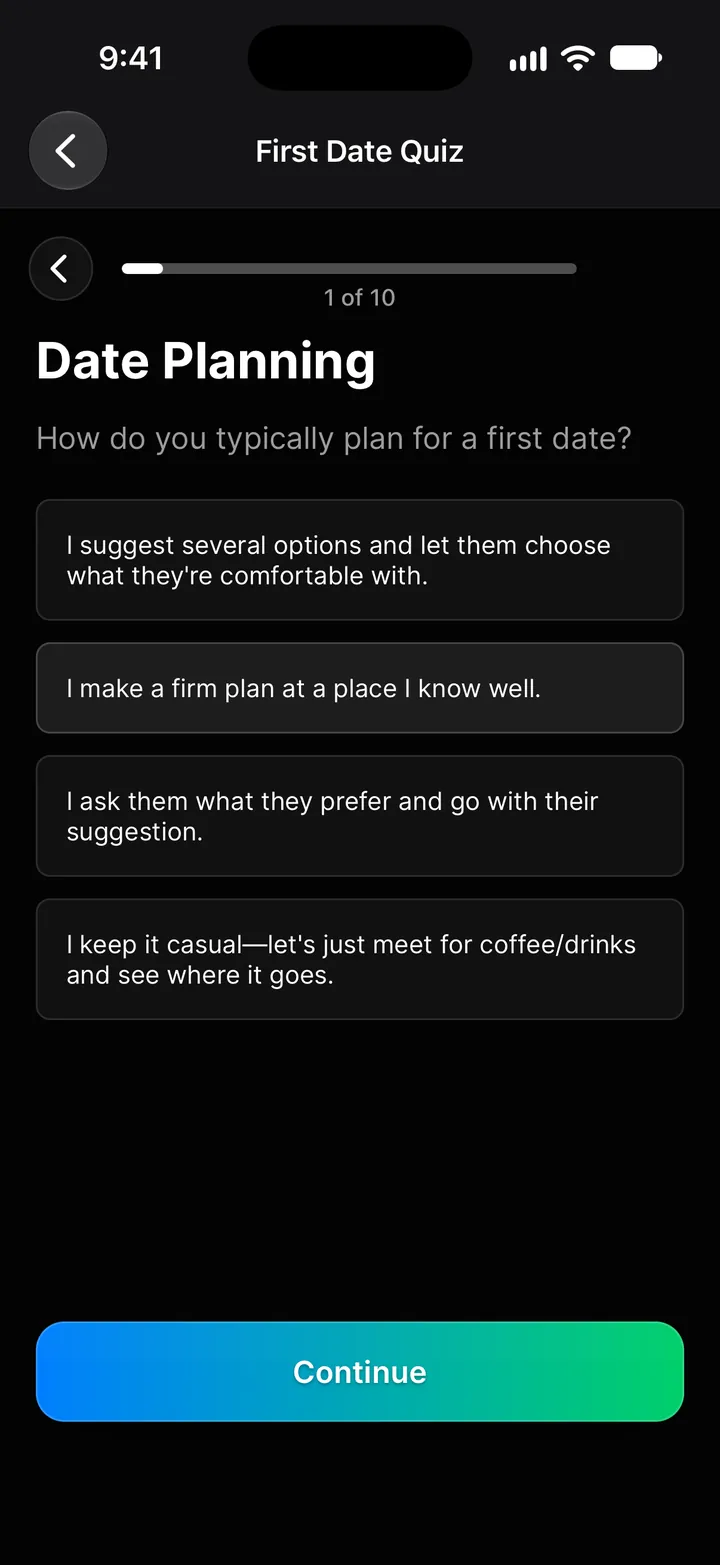
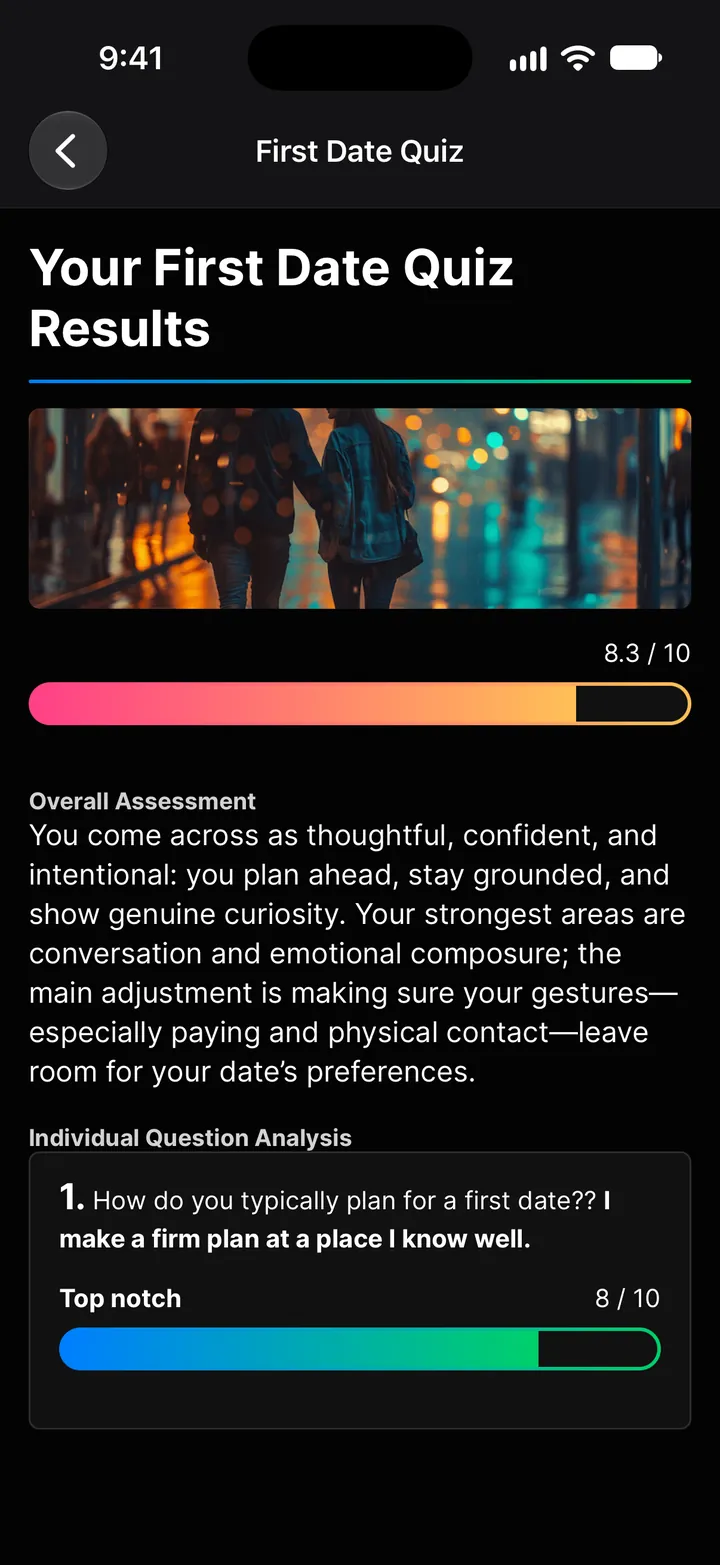
Test your dating knowledge with scenario-based quizzes. Each quiz presents real-world situations (hookups, crushes, exes, online dating) and scores your answers with honest feedback and explanations for each question.
How to use it
- Tap Dating quizzes on Home, or tap + in your chat.
- Pick a quiz and answer the questions. Some are multiple choice, some you answer in your own words.
- Get a score out of 10, an overall assessment, and an analysis of each answer. You can retake quizzes anytime and view your previous results.
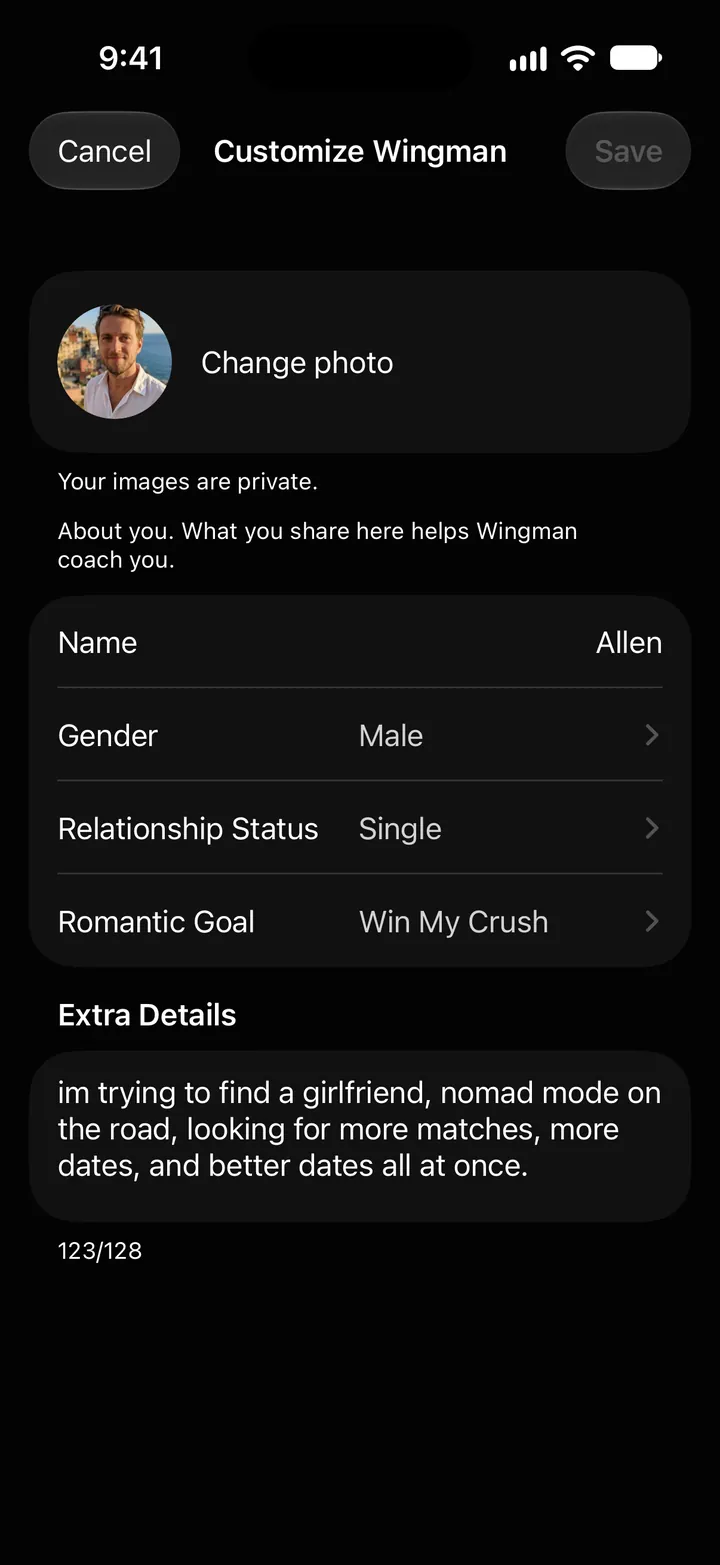
Customize Wingman
Wingman tailors its coaching to who you are and what you're looking for. Tap the sliders button at the top of the You or Dating Profile tab to open Customize Wingman and update your details:
- Photo (Change photo): a photo of yourself so Wingman can identify your messages in screenshots
- Name
- Gender
- Relationship status: single, complicated, in a relationship, or married
- Romantic goal: hookup, girlfriend, pursuing a crush, getting an ex back, or improving a current relationship
- Extra details: anything else that would help Wingman give you better advice
Keep this updated as your situation changes. If you start out looking for hookups and then meet someone you actually like, update your goal and Wingman shifts its coaching accordingly.
That's everything. One chat for you, one chat for each person you're talking to, and a full suite of tools to help you at every stage — from picking your best photo to knowing exactly what to text next.